
PROBLEM


RegSearch is a search tool for federal procurement regulations and associated documents. Acquisition professionals were stuck with a tool that hadn’t been meaningfully updated in over 15 years — one that only worked reliably in Internet Explorer 7, had no mobile support, and forced users to manually dig through hundred-page federal documents with no modern search, filtering, or sharing capabilities. As the regulatory landscape grew more complex, the software meant to help navigate it was becoming an obstacle in itself.
SOLUTION


RegSearch was given an updated look and feel, built from the ground up with modern technologies, and added numerous features acquisition professionals needed most. Some new features include more robust search tools, custom document sets, creating a bookmark list, and many more.

My Contributions

  • Identify the current software capabilities and pain points
  • Conceptualize future features for RegSearch
  • Build a better UX with modern web technologies, revamped look/feel, and new features
  • Create UI mockups that can satisfy previously established capabilities
  • Establish & refine design guidelines
  • After the Bootstrap framework was installed, building and refining styles in HTML & SCSS
  • Record feedback from early design builds
  • Design the logo identity

This project was built at Distributed Solutions, Inc. in Reston, VA, over an 8-month timeframe in 2016, on a team of 5 people.

Process


1 – Planning

  • Identify areas that could slow users down and have abnormal processes
  • Test and record each current feature
  • Meet with stakeholders to identify current and future goals for the product

Personas

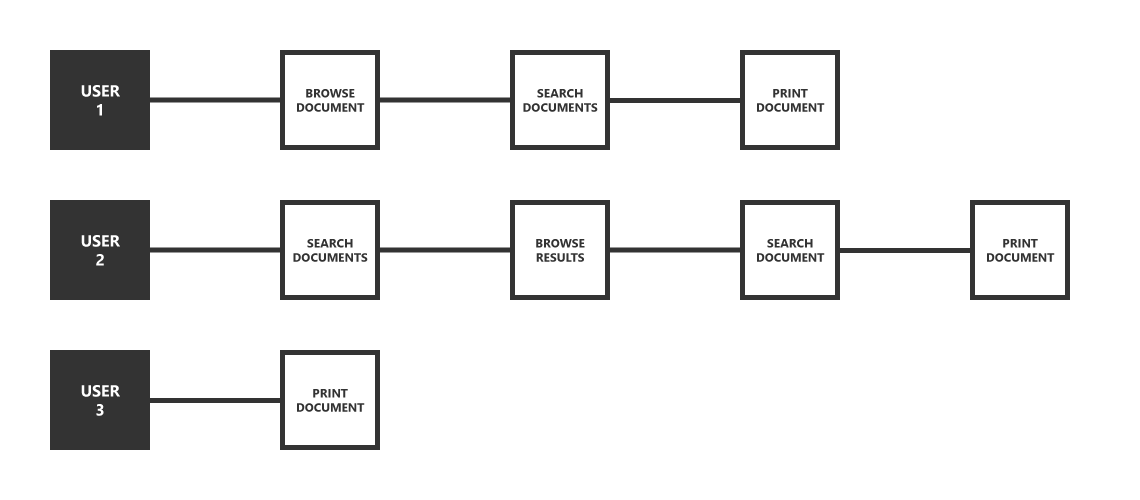
Based on the personas above, we identified two primary user types: researchers doing deep, single-topic investigations across multiple documents, and case workers who needed to quickly cross-reference specific regulations under time pressure. Both groups shared the same workflow — manually searching through relevant documents, then copying text or printing entire documents (sometimes hundreds of pages) to use the information elsewhere. These shared pain points became the foundation for the UX improvements below. These scenarios contain UX pain points that we wanted to change in the updated RegSearch.


UX features to be added in the update:

  • Refined search — search-within-search to narrow results progressively, plus filtering by document type to account for variance in regulations across industries
  • Document actions — local PDF generation for printing, secure hyperlink sharing with expiration controls, and a bookmark system for revisiting documents later
  • Custom document sets — letting teams group and share collections of related regulations for collaborative research

2 – Building & Feedback

  • Build mock ups that reflect a modern user experience and create linear processes for completing research tasks
  • After design approved, build alpha version of product with modern web development technologies
  • User testing for feedback and understanding user needs for the product
  • Refine user experience to remove obstacles and add additional features based on use
  • Compare products that aim to accomplish similar tasks


The direction behind the design:

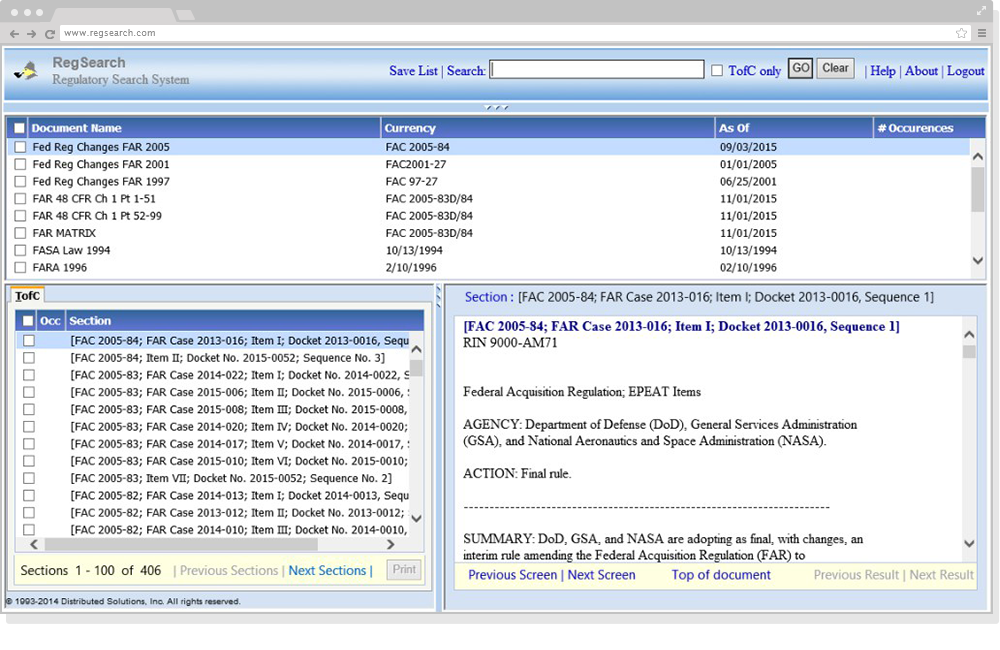
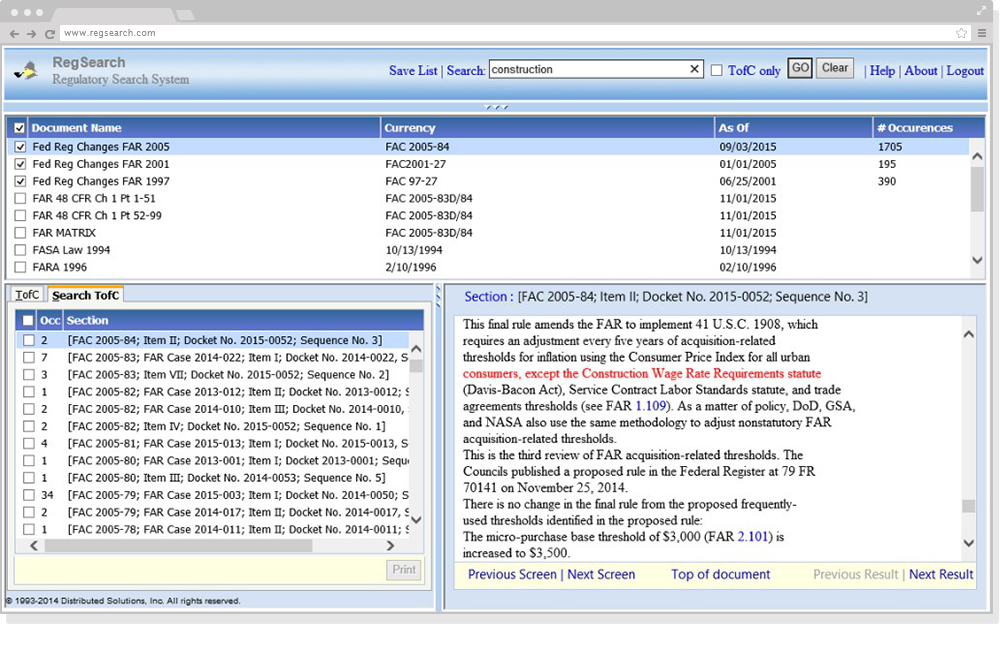
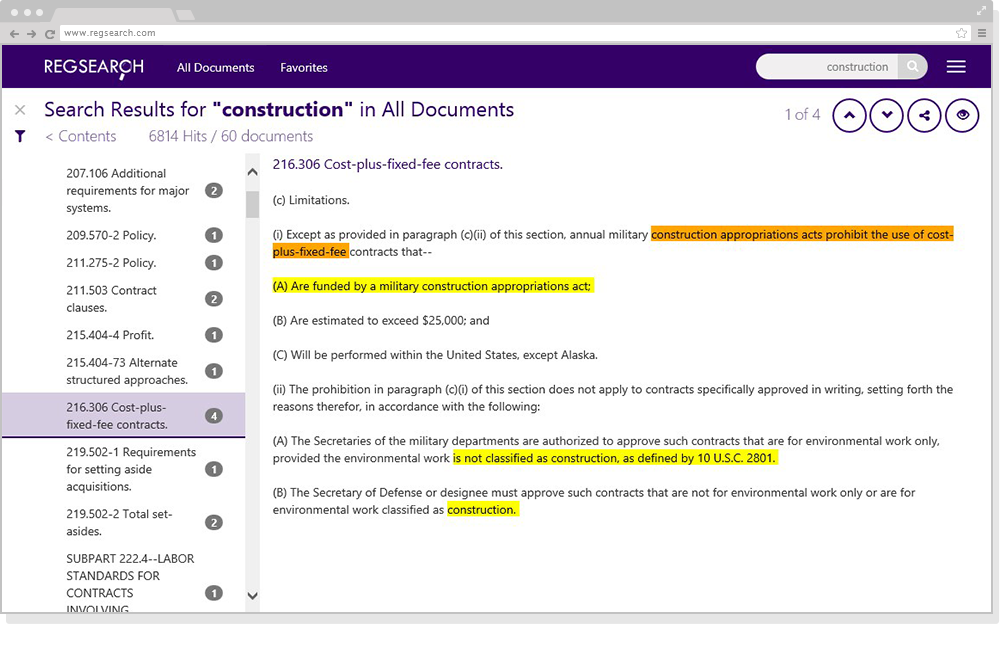
With the main purpose of the software being to find information by within documents, simplicity and large reading panes were at the forefront of the overall design direction. If you look at the screenshots down the page, all content remained visible on screen with the reading pane only consisting of about 25% of the entire window – this was a pain point, only showing relevant content in a quarter of the window. Starting from a Bootstrap foundation, I built out a fully custom component library — including a redesigned icon set inspired by Material Design and Microsoft’s design language — while keeping the overall layout deliberately minimal to maximize space for document content. Previously, check boxes and links were used to complete tasks and features were not intuitive, nor was there any sort of instruction guide within the software – this was another pain point, confusing user interface controls hindered it’s usability. Commonly used icons would be used to assist the user when trying to accomplish more complex tasks within the software. Icon design took inspiration from widely used platforms such as Google’s material design, Bootstrap’s built in icons, as well as Microsoft. Higher contrasting colors were used when highlighting important text from a search, previously it was only red text within a block of black text – this was another pain point we wanted to fix, higher contrast increased readability within a block of text.

Results

After numerous rounds of refinement, RegSearch relaunched with a refreshed user experience that simplifies research tasks, adds additional features like printing/sharing, and better aligns with business goals while showing product/ux design capabilities. Because it was built in Bootstrap, it works in all modern browsers and on mobile (RegSearch previously only worked in IE7). The reading pane size was increased significantly, up from approximately 25% of the screen to 75%, allowing the user to find what they need quickly and adjusting as screen sizes vary across all devices. Creation and sharing of custom document sets allowed teams to quickly tackle federal procurement research projects together. The redesigned RegSearch became the standard platform for acquisition professionals at [client/agency name if shareable], replacing the legacy tool entirely and setting the foundation for future feature development.

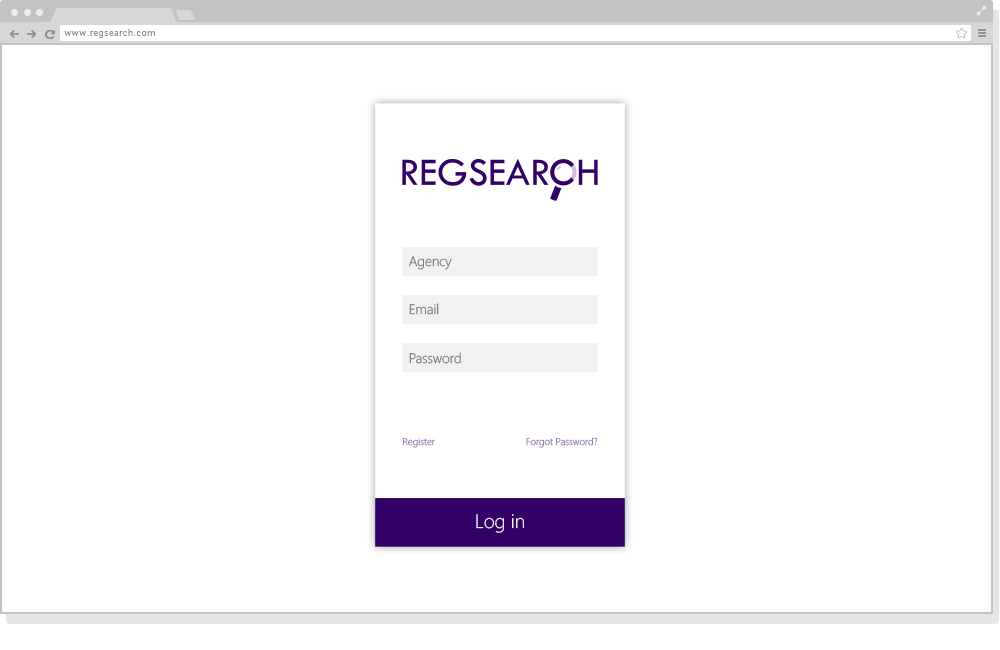
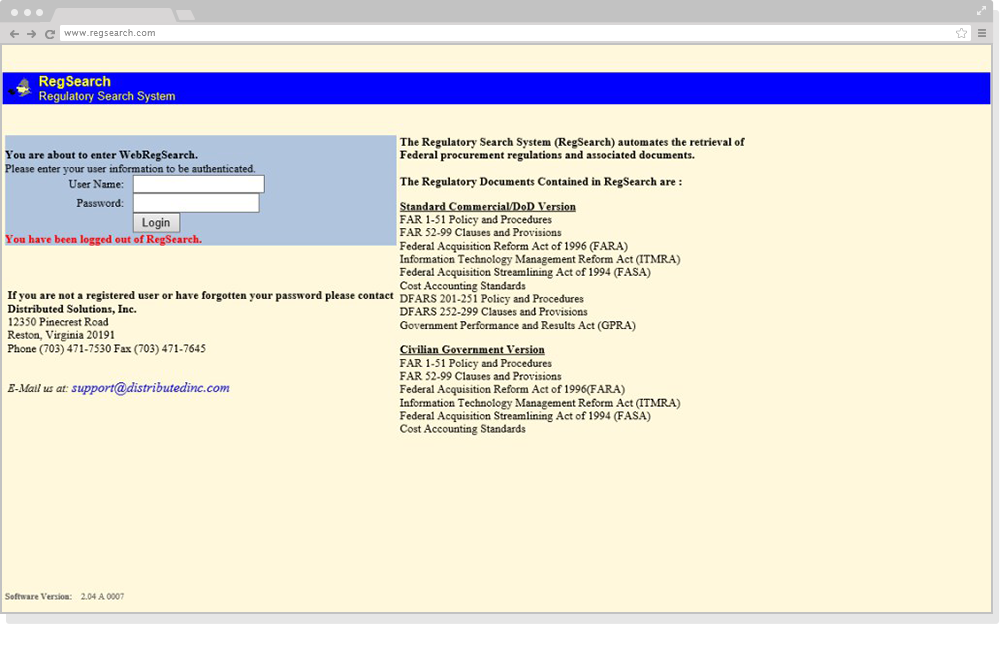
Login page (before & after)

Streamlined the login flow, removing unnecessary fields and bringing the interface in line with modern authentication patterns.

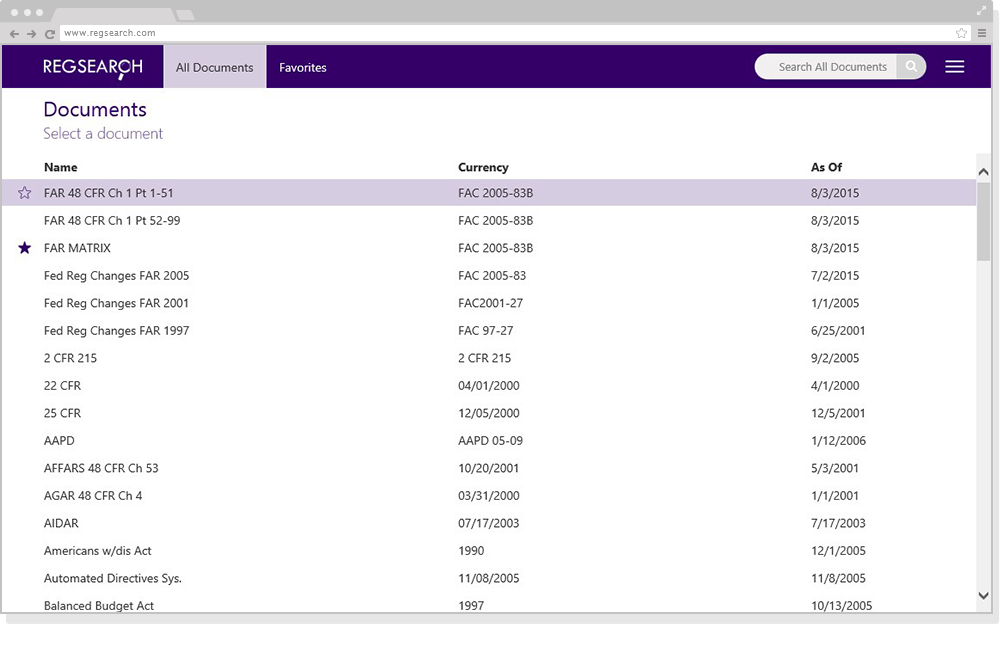
Selecting a document to browse (before & after)

Replaced a dense, checkbox-heavy list with a searchable, filterable document browser using clear visual hierarchy.

Searching a document (before & after)

Expanded the reading pane from ~25% to ~75% of the screen and introduced high-contrast highlighting for search results.

Branding

In addition to the UX overhaul, I designed RegSearch’s new logo identity — a clean, modern mark that reflected the product’s repositioning as a contemporary research tool rather than a legacy government utility.

The new logo became the foundation for the broader visual refresh, informing the color palette and icon language used throughout the redesigned interface.